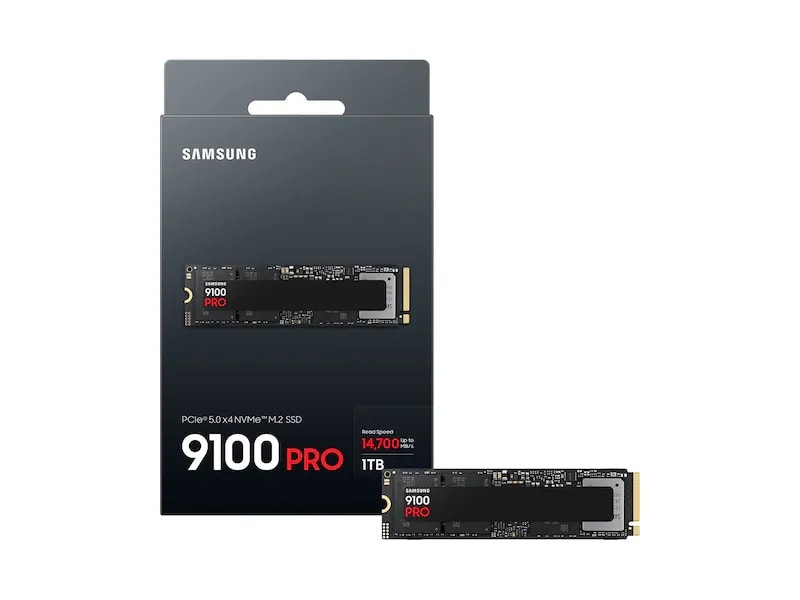
SAMSUNG 1TB PCIe 5.0 NVMe™ M.2 SSD 9100 PRO
Hover to zoom

SAMSUNG 1TB PCIe 5.0 NVMe™ M.2 SSD 9100 PRO

SAMSUNG

د.إ 661د.إ 7006% OFF

Delivered by 1 days

Its PCIe 5.0 interface delivers blistering 14,700 MB/s read speeds, making this 1TB SSD ideal for demanding client PCs and professional tasks.

Description

• PCIe 5.0 x4, NVMe 2.0 • 1TB Capacity • M.2 (2280) Form Factor • Seq. Read: 14,700 MB/s • Seq. Write: 13,300 MB/s • Random Read: 1.85M IOPS

1
In Stock

FULL DESCRIPTION

For the serious GCC gamer in Riyadh who demands zero compromise on speed, waiting for levels to load is a relic of the past.

Imagine dropping into Al Mazrah in Warzone before your squad even finishes loading their pre-game screens, or instantly navigating massive open worlds like Cyberpunk 2077 with textures streaming flawlessly. This SSD slashes game launch times for titles like FIFA 23 and loads complex game environments so fast, you're always first to the action, giving you that crucial edge in every match.

That blazing **PCIe® 5.0 x4** interface and **14,700 MB/s sequential read** isn't just a number; it means your entire system unlocks its true potential, eliminating every storage bottleneck and ensuring you're always ahead of the curve for the next generation of games.

As a Samsung product, it comes with the regional support and reliability you expect, offering peace of mind even through those intense, marathon gaming sessions in the summer heat.

With a generous **1TB capacity** and Samsung V-NAND TLC, you'll have ample room for your ever-expanding game library and the robust endurance to handle countless installs and uninstalls for years to come.

SPECIFICATIONS

Device Sleep Mode SupportYes
Sequential ReadUp to 14,700 MB/s * Performance may vary based on system hardware & configuration
Sequential WriteUp to 13,300 MB/s * Performance may vary based on system hardware & configuration
ApplicationClient PCs, Game Consoles
Power consumption (Idle)Typical 4 mW * Actual power consumption may vary depending on system hardware & configuration
Power Consumption (Device Sleep)Typical 3.3 mW * Actual power consumption may vary depending on system hardware & configuration
Shock1,500 G & 0.5 ms (Half sine)
Management SWMagician Software for SSD management
Weight0.02 lbs
Storage MemorySamsung V-NAND TLC
ControllerSamsung in-house Controller
Cache MemorySamsung 1GB Low Power DDR4X SDRAM
TRIM SupportSupported
Random ReadUp to 1,850,000 IOPS * Performance may vary based on system hardware & configuration
Random WriteUp to 2,600,000 IOPS * Performance may vary based on system hardware & configuration
Average Power Consumption (system level)Average: Read 7.6 W / Write 7.2 W* Actual power consumption may vary depending on system hardware & configuratio
S.M.A.R.T SupportSupported
GC (Garbage Collection)Auto Garbage Collection Algorithm
Encryption SupportAES 256-bit Encryption (Class 0)TCG/Opal IEEE1667 (Encrypted drive)
WWN SupportNot supported
Allowable Voltage3.3 V ± 5 % Allowable voltage
Reliability (MTBF)1.5 Million Hours Reliability (MTBF)
Operating Temperature0 - 70 ℃ Operating Temperature
interfaceNVMe
formFactorM.2
Capacity1,000GB (1GB=1 Billion byte by IDEMA) * Actual usable capacity may be less (due to formatting, partitioning, operating system, applications or otherwise)
Dimensions3.2 x 0.9 x 0.09 in

FREQUENTLY ASKED QUESTIONS

If I buy this SSD in KSA, will the warranty be honored if I move to UAE or Qatar?

I'm not comfortable installing this M.2 SSD myself into my desktop. Do you offer an installation service in Dubai, or can you recommend a trusted local technician?

What happens if this SSD is dead on arrival when I receive it? Do I have to ship it back at my own cost, or what's the process?

Given that PCIe 5.0 SSDs can run hot, and the GCC climate, will this affect the long-term performance or lifespan of the 9100 PRO, especially if my PC case airflow isn't perfect?

I have a Z690 motherboard with only PCIe 4.0 slots. Will this PCIe 5.0 SSD still work in it, and will I see any performance benefit over a PCIe 4.0 SSD?

If my SSD fails under warranty, what happens to my data if I send it back? Does Samsung offer data recovery, or should I wipe it before sending?